

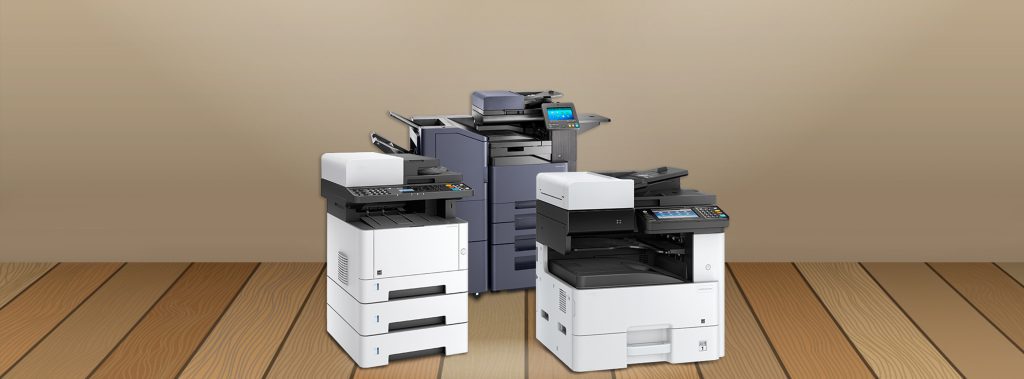
Few things can slow down a productive office faster than a printer breakdown. You’re ready to print an urgent report or invoice, and suddenly the printer flashes an error message, runs out of toner, or jams halfway through the job. Most of these issues don’t appear overnight — they build up over time. The good news is that they’re easy to avoid with proper care. This guide from Afan Office Equipment offers a complete and practical printer preventive maintenance checklist to help you prevent printer problems before they even start. Whether you manage a small office, a large business, or use a printer for rent, following this checklist can save time, money, and stress.
Why Prevent Printer Problems Before They Start?
A printer isn’t just another piece of office equipment. It’s a vital link between digital work and physical output — proposals, contracts, invoices, receipts, and creative projects all rely on it. When printers fail, productivity takes a hit.
Taking steps to prevent printer problems is about foresight. Regular maintenance ensures reliable performance, reduces repair costs, and extends the printer’s lifespan. A neglected printer, on the other hand, leads to wasted supplies, downtime, and frustration.
A little preventive care each week or month pays off by keeping your printer running smoothly. It’s not complicated; it just takes consistency.
Understanding the Common Causes of Printer Problems
Before going into the printer preventive maintenance checklist, it helps to know what causes most printer issues. Knowing the cause makes prevention easier.
1. Dust and Debris Build-Up
Printers attract dust like magnets. Over time, dust particles settle on rollers, sensors, and internal parts, leading to paper jams, streaks, and uneven prints.
2. Low-Quality Paper
Cheap paper often sheds tiny fibers that clog rollers and sensors. Always use paper recommended by the printer manufacturer.
3. Poor Handling of Cartridges
Touching the drum or nozzles of toner and ink cartridges can damage them. Incorrect installation also causes leakage or print quality problems.
4. Ignoring Firmware Updates
Outdated printer software can cause compatibility issues or inefficient printing.
5. Skipping Regular Cleaning
Neglecting internal and external cleaning leads to performance decline over time.
6. Incorrect Printer Settings
Using the wrong print mode or paper settings may waste ink or cause smudging.
By understanding these causes, you can see why preventive maintenance isn’t a luxury—it’s a necessity.
Printer Preventive Maintenance Checklist
Here’s the step-by-step printer preventive maintenance checklist developed by Afan Office Equipment. Follow this routine regularly to keep your printer working efficiently.
1. Clean the Printer Exterior Weekly
Dust the outside of the printer with a soft, lint-free cloth. Avoid spraying cleaner directly on the surface; instead, dampen the cloth slightly.
Why it matters: Dust buildup can enter the machine over time, affecting sensors and printheads. Keeping the outside clean helps prevent contamination inside.
2. Clean the Interior Monthly
Before you start, turn off the printer and unplug it. Use a soft brush or compressed air to gently remove dust from rollers, trays, and the paper feed path.
Be cautious—never use a vacuum directly inside the printer, as static electricity can damage internal parts.
Why it matters: A clean interior ensures smooth paper feeding and reduces misfeeds or streaks on prints.
3. Check and Replace Cartridges When Needed
Low toner or ink affects print quality and can damage the printhead if ignored. Keep an eye on the ink levels and replace cartridges before they run completely dry.
Avoid refilling cartridges from unknown sources. Using genuine or approved cartridges ensures optimal performance.
4. Inspect the Printheads
For inkjet printers, clean printheads regularly using the built-in maintenance option in the printer’s software. If you notice streaks or missing lines, perform a deep cleaning cycle.
For laser printers, gently wipe the toner drum with a dry, lint-free cloth when necessary.
5. Use Quality Paper
Always store paper in a dry environment and fan the stack before loading it to prevent sticking. Avoid overloading the tray.
High-quality paper prevents jams, reduces dust inside the machine, and ensures clear printing.
6. Align and Calibrate Regularly
Most modern printers have calibration tools to align cartridges and printheads. Running calibration once a month ensures sharp, balanced printouts.
7. Update Drivers and Firmware
Outdated software can cause slow performance or failed connections. Check your manufacturer’s website regularly or use automatic update settings if available.
8. Check Power Supply and Connections
Loose cables can cause intermittent power failures. Ensure cords are secure and the printer is connected to a stable power source or surge protector.
9. Schedule Professional Servicing
Even with regular cleaning, certain components wear out over time. Schedule professional maintenance at least once a year.
If you use a printer from Afan Office Equipment, service visits are often included in the rental plan — ensuring your printer is always in top condition.
10. Keep a Maintenance Log
Record every cleaning, cartridge replacement, and service visit. A maintenance log helps track performance issues and prevents repeating mistakes.
Detailed Weekly and Monthly Checklist
To make maintenance easier, here’s a simple breakdown of what to do and when.
Weekly Tasks
-
Wipe the printer’s exterior with a soft cloth.
-
Remove visible dust from trays and paper paths.
-
Check paper type and storage conditions.
-
Ensure all cables are firmly connected.
-
Deep-clean the interior using compressed air or a brush.
-
Run a printhead cleaning cycle.
-
Check for firmware updates.
-
Calibrate or align printheads.
-
Inspect rollers for wear.
-
Replace or refill toner/ink if needed.
-
Lubricate moving parts if recommended by the manufacturer.
-
Test print quality on multiple paper types.
-
Clean fans and ventilation openings.
-
Review the maintenance log for recurring issues.
Annual Tasks
-
Schedule a professional inspection.
-
Replace worn rollers or fuser units.
-
Review overall print volume and consider upgrading or switching to a printer for rent if usage needs have changed.
How to Store Printer Supplies Properly
Printer supplies like toner, ink, and paper are sensitive to heat and moisture. Poor storage shortens their lifespan.
Follow these storage tips:
-
Store toner and ink cartridges in a cool, dry place away from sunlight.
-
Keep them sealed until ready for use.
-
Avoid leaving paper in the printer tray for extended periods.
-
Store paper flat to prevent curling.
Proper storage contributes to overall maintenance and helps prevent printer problems that arise from poor-quality supplies.
Best Practices for Printer Use
How you use your printer affects its longevity. Here are key habits that help extend printer life and prevent issues.
1. Let the Printer Rest
Avoid printing large volumes continuously. Allow short breaks between print jobs to prevent overheating.
2. Avoid Force-Feeding Paper
Never force paper through a jammed printer. Always open the panels and remove the jam gently following the instructions in the user manual.
3. Use Sleep Mode Wisely
When the printer is idle, let it enter sleep mode instead of turning it off frequently. This preserves internal components and prevents ink from drying out.
4. Handle Cartridges with Care
Never shake toner cartridges aggressively. Follow the proper instructions for installation to avoid leaks.
5. Train Staff on Proper Use
If multiple people use the printer, ensure everyone knows how to load paper, replace cartridges, and report errors. Simple awareness reduces accidental damage.
The Cost Benefits of Preventive Maintenance
Regular maintenance may seem like extra work, but it saves money in the long run.
- Reduced Repair Costs: Preventive care reduces the need for major repairs. Cleaning and replacing small parts early prevent large breakdowns later.
- Better Print Quality: A well-maintained printer delivers consistent, professional results. You avoid wasting ink or toner on reprints caused by smudges or streaks.
- Longer Equipment Life: Just like any machine, a printer that’s cared for lasts longer.
- Predictable Performance: Regular maintenance minimizes downtime and lets you plan printing tasks with confidence.
At Afan Office Equipment, we’ve seen offices save hundreds of dollars annually by following this simple printer preventive maintenance checklist.
Printer Preventive Maintenance for Different Printer Types
Not all printers are built the same. Here’s how maintenance differs between common types.
Inkjet Printers
-
Run nozzle cleaning cycles regularly.
-
Avoid leaving the printer unused for long periods; print a small color page weekly.
-
Use high-quality ink cartridges.
Laser Printers
-
Keep toner cartridges sealed until use.
-
Avoid exposing the drum to bright light.
-
Clean or replace the fuser unit as needed.
Multifunction Printers (MFPs)
-
Clean the scanner glass weekly.
-
Check document feeders for dust and debris.
-
Update all related software (scanner, fax, print).
Following the correct routine for your specific printer type ensures optimal performance.
Signs You’re Overdue for Maintenance
Even with regular upkeep, printers give subtle warnings before major issues appear. Watch for these signs:
-
Frequent paper jams
-
Faded or streaky prints
-
Unusual noises or grinding sounds
-
Error messages that keep reappearing
-
Slow or unresponsive printing
If you notice these, it’s time to perform maintenance or contact your service provider.
When to Consider a Renting
Sometimes, consistent printer issues signal it’s time for a replacement. But buying a new machine isn’t always necessary. Many businesses choose a printer for rent to reduce maintenance costs and downtime.
Afan Office Equipment offers flexible rental plans that include regular servicing, parts replacement, and technical support. Renting a printer eliminates surprise repair costs and ensures you always have access to reliable equipment.
This option works well for offices with variable printing needs or limited budgets. With a printer for rent, maintenance becomes our responsibility, allowing your team to focus on core tasks.
Training and Awareness: The Human Factor
No checklist can work without people following it. Training staff on printer care is as important as maintenance itself.
A short orientation can include:
-
How to handle paper properly
-
How to replace toner safely
-
What to do when a jam occurs
-
Whom to contact for technical support
At Afan Office Equipment, we always emphasize user education. Even the most reliable machines need proper handling to stay efficient.
Eco-Friendly Maintenance Tips
Preventive care also supports sustainability. Every printer problem prevented means less waste.
Follow these eco-friendly practices:
-
Recycle used cartridges through approved programs.
-
Use draft mode for internal documents to save ink.
-
Print double-sided when possible.
-
Choose recycled or certified paper brands.
A maintained printer consumes less power and produces fewer misprints, making it better for both your budget and the environment.
Practical Troubleshooting Steps
Even with prevention, issues can still occur. Here’s what to do before calling a technician:
-
Restart the Printer: Turn it off, wait 30 seconds, and restart.
-
Check Connections: Ensure cables or Wi-Fi are properly connected.
-
Inspect Paper Tray: Remove jammed paper carefully.
-
Run Diagnostic Tool: Most printers have built-in troubleshooting software.
-
Review Error Codes: Look up error messages in the manual or manufacturer’s website.
If these steps don’t work, reach out to your service provider or contact Afan Office Equipment for support.
How Often Should You Perform Preventive Maintenance?
The frequency depends on usage:
-
Light use (less than 500 pages/month): Clean monthly and service yearly.
-
Moderate use (500–2000 pages/month): Clean bi-weekly and service twice a year.
-
Heavy use (above 2000 pages/month): Clean weekly and schedule professional service quarterly.
Regular attention keeps your printer efficient and extends its service life significantly.
Why Choose Afan Office Equipment for Printer Maintenance
With years of experience providing reliable office machines and service support, Afan Office Equipment understands that prevention is better than repair. Our team offers:
- Scheduled maintenance visits
- On-call technical assistance
- Access to genuine printer supplies
- Options for purchase or rent plans
We don’t just fix printers; we help businesses avoid downtime and maintain productivity.
Conclusion
A smooth-running printer isn’t a matter of luck — it’s the result of consistent care. By following this printer preventive maintenance checklist, you can prevent printer problems before they start, protect your investment, and keep your office workflow uninterrupted.
Whether you own your machine or use a printer for rent from Afan Office Equipment, preventive maintenance is the simplest and most reliable way to ensure consistent performance and professional-quality printing every day.
So take a few minutes each week to clean, check, and maintain. The payoff is a printer that’s always ready when you need it most.